System requirements
Microsoft Windows XP, 7,10 (not tested with other versions)
Download installation file: Download
Install instructions:
- Download installation file.
- Run installation file by double clicking on it and follow prompts.
- Click on Seismic Toolkit icon, which was placed on your desktop.
- Run program in a demo mode. This mode offers some limited functionality.
When you decide to use full unlimited version of the software you will need to:
Pay license fee using a secure PayPal website.
Choose PayPal or credit card.
Seismic Toolkit
Pay full license fee for Seismic Toolkit software
A$100.00
Read and copy your Machine ID number

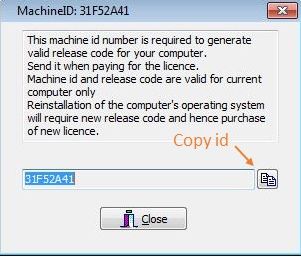
Fill in a form below and press submit button. Remember to paste your Machine ID number here.
If you prefer you can contact me on my email instead.I will send you a release code, which you will use to unlock all features of a software.


Once you received an email containing a release code, copy and paste it in a space provided in a registration form and press OK button. Use registration form from a program, which you intend to register.
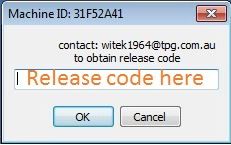
Software is ready to use. All features of the software are unlocked.
 Seismic Toolkit